What Happens When Your Thermostat Stops Communicating With Your AC Mid-Summer
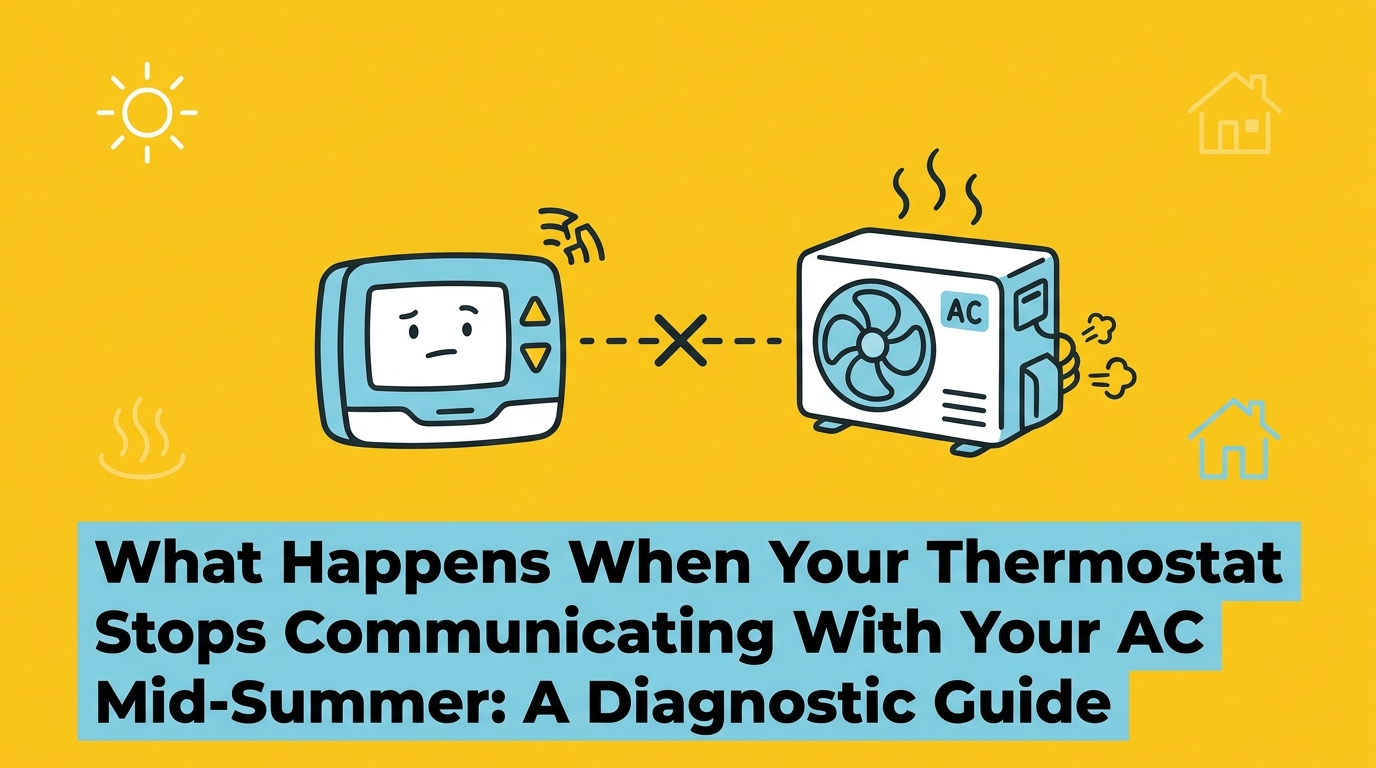
The Immediate Impact of an Unresponsive AC System
The indoor temperature is steadily climbing, but your cooling system refuses to turn on. Understanding exactly what happens when your thermostat stops communicating with your AC mid-summer is the first step toward restoring your home's comfort. At Rep-Air Heating and Cooling, we hear the frustration in our customers' voices when they tap the screen on the wall, but nothing happens. The smart app on your phone shows a frustrating offline error. During a severe heat dome, a house can heat up to unsafe levels in just a few short hours. This rapid rise in temperature turns a simple inconvenience into a critical safety concern for your family and pets.
To get your system back online quickly, you need to understand the root cause or seek professional HVAC services. The core decision you face right now is determining whether you are dealing with a harmless Wi-Fi connectivity issue or a complete loss of 24-volt power from the control board. A dropped internet connection is a minor nuisance, but a power failure indicates a deeper mechanical or electrical fault within your cooling system. Knowing how to tell the difference prevents unnecessary panic and keeps you safe from potential electrical hazards.
Most homeowners do not realize that modern smart thermostats are highly sensitive mini-computers. They require a constant, stable flow of low-voltage electricity to function. When that flow is interrupted, the thermostat goes dark, and your air conditioner sits idle, completely unaware that the house is getting hotter by the minute. Diagnosing this issue requires a calm, methodical approach that prioritizes safety above all else.
Wi-Fi Disconnection vs. Equipment Disconnection
Here is the thing: a smart thermostat can lose communication in two entirely different ways. The first is a network drop, and the second is a total equipment power failure. Clarifying the technical difference between a smart app losing its internet connection and the thermostat losing power from the HVAC control board saves time and frustration.
An "offline" status on a smartphone app often just means your home router dropped the connection. In this scenario, the physical thermostat on your wall usually remains illuminated and functional. You can still adjust the temperature manually, even if you cannot do it from the couch. On the other hand, a completely blank screen indicates a total power loss. Smart thermostats rely on a constant 24-volt power supply, typically delivered via the C-wire (common wire), to maintain their operations and keep the display active.
Even a perfectly configured system can experience network drops. For example, our team recently helped a Mission BC homeowner who had a seamless AC system installation and Wi-Fi thermostat programming completed in the autumn. Months later, the app suddenly showed the system as "offline." Because the screen on the wall was still active, our dispatcher walked them through a simple router reset, avoiding a complex mechanical repair. If you are wondering why your AC is blowing warm air or not running at all, checking the physical screen is your first diagnostic step.
• App says "offline" but screen is on — Likely Cause: Wi-Fi network drop or router issue — System Status: AC still functions manually
• Screen is completely blank — Likely Cause: Loss of 24v power from HVAC unit — System Status: AC will not run at all
• Screen says "cooling" but no air flows — Likely Cause: Communication error or tripped breaker — System Status: System requires diagnostics
If your thermostat displays a cooling status but the air conditioner remains completely silent, you are experiencing an equipment disconnection. The thermostat is trying to send the signal, but the message is not reaching the outdoor compressor or the indoor air handler. This breakdown in the communication loop is what leaves your home sweltering mid-summer.
Common Causes Behind Thermostat Communication Errors
When the physical screen goes dark or displays a specific communication error code, the issue lies within the HVAC system's internal components. Based on our years of troubleshooting systems throughout Mission BC, our team typically sees several specific technical reasons why a thermostat might suddenly stop communicating with the AC unit mid-summer.
1. A Blown 3-Amp Fuse: The indoor unit's control board features a small, automotive-style 3-amp fuse. This fuse protects the sensitive electronic board from power surges and short circuits. If a low-voltage wire rubs against metal and shorts out, this fuse blows instantly. Once the fuse blows, it completely severs the 24-volt power supply to the thermostat, resulting in a blank screen.
2. Dead Internal Batteries: Many hybrid smart thermostats use a C-wire for primary power but rely on internal batteries as a backup. If the system power fluctuates or the C-wire connection is loose, the thermostat drains these batteries. Once the batteries fail to hold a charge, the unit dies, cutting off all communication with the AC.
3. Tripped Circuit Breakers: A power surge or an overworked compressor can cause the main circuit breaker in your electrical panel to trip. If the air handler loses high-voltage power, the internal transformer cannot step it down to the 24 volts needed to run the thermostat.
Resolving these internal issues often requires professional air conditioning repair and diagnostics, as locating a hidden short in the wiring is complex work.
The Role of Safety Switches
Our technicians find that one of the most common, yet least understood, causes of a blank thermostat is a tripped safety switch. Your air conditioner removes significant amounts of humidity from the air as it cools your home. This moisture collects in a drain pan and flows outside through a condensate line. Over time, algae, dirt, and debris can clog this line, causing water to back up into the drain pan.
To prevent this water from overflowing and damaging your ceilings or floors, installers fit the drain pan with a condensate overflow switch. When the water level rises too high, a small float triggers this switch. The switch intentionally cuts the low-voltage power circuit to shut down the entire air conditioning system. Because the power is cut, this intentional safety shutdown registers as a communication error or a blank screen on your thermostat. The system is actually working exactly as designed to protect your home from water damage.
The Role of the HVAC Control Board and Low-Voltage Wiring
To truly understand why your system stopped responding, it helps to look at the relationship between the thermostat on your wall and the equipment in your utility room. The HVAC control board acts as the central brain of your entire heating and cooling system. It lives inside the indoor air handler or furnace and is responsible for receiving commands from the thermostat and executing them by turning on the blower motor, the outdoor compressor, or the heating elements.
This communication happens via a bundle of low-voltage wiring. A transformer inside the air handler takes the standard household voltage and steps it down to a safe 24 volts. This low-voltage current travels up to the thermostat through the R-wire (power) and the C-wire (common). When you lower the temperature setting, the thermostat acts as a switch, sending that 24-volt signal back down through the Y-wire to tell the outdoor AC unit to start cooling, and through the G-wire to turn on the indoor fan.
Because this communication loop relies on continuous electrical continuity, any disruption breaks the system. Wiring shorts caused by rodents chewing on cables, vibration from the unit rubbing the wire insulation away, or a failing transformer will instantly disrupt this delicate communication loop. When these complex faults occur, electrical system diagnostics are necessary to trace the voltage drop safely.
The control board itself can also fail. If a power surge damages the microprocessors on the board, it may no longer recognize the signals coming from the thermostat, even if the wiring is perfectly intact. Diagnosing a faulty control board requires specialized multimeters and a deep understanding of electrical schematics.
Safe Triage: What Homeowners Can Check
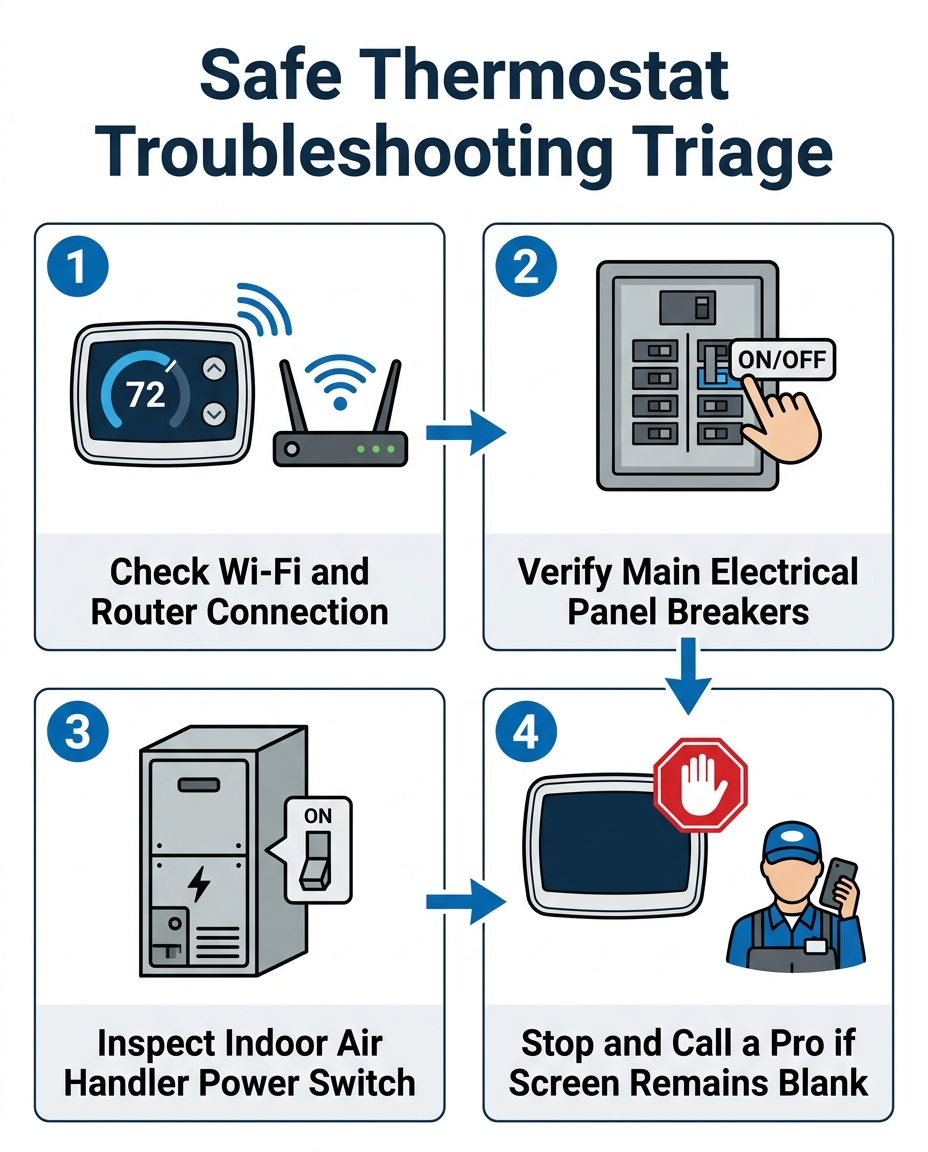
When your house is getting hot, it is tempting to start pulling panels off the HVAC unit to find the problem. However, heating and cooling systems contain high-voltage capacitors and complex wiring that pose severe shock hazards. Providing a strict, safety-first boundary is essential. There are several safe troubleshooting steps homeowners can take without risking electrical injury.
• Verify the Wi-Fi network: Check your smartphone to see if your home internet is working. Restart your router to rule out a simple network drop before assuming the AC is broken.
• Check the main electrical panel: Open your home's breaker box and look for tripped circuit breakers connected to the indoor air handler or the outdoor AC unit. If a breaker is tripped, reset it firmly once. If it trips again immediately, do not reset it a second time.
• Inspect the indoor power switch: Near your indoor air handler or furnace, there is typically a service switch that looks exactly like a standard light switch. Ensure this switch wasn't accidentally turned off by someone moving boxes or reaching for a light in the dark.
• Check the thermostat batteries: If your smart thermostat has a removable faceplate, pull it off and check for standard AA or AAA batteries. Replace them with fresh ones to see if the screen reboots.
If these basic checks do not restore communication, the issue is internal. At this point, the safe homeowner triage is complete, and further investigation requires specialized tools and training.

When to Stop DIY Diagnostics and Call a Professional
Knowing when to stop is just as important as knowing where to start. You must explicitly draw the line at opening the air handler cabinet. Never attempt to test control board voltage, bypass safety switches, or handle internal low-voltage wiring without a license. The internal components of an HVAC system handle dangerous amounts of electricity, and modern smart thermostats interfacing with advanced control boards require specialized diagnostic tools to test properly.
The exact criteria for stopping DIY efforts are clear: if the thermostat screen remains blank after checking the breaker and the power switch, if you smell burning plastic near the vents, or if the circuit breaker trips repeatedly, it is time to call an expert. Continuing to force the system to run under these conditions can destroy the compressor or cause an electrical fire.
Acting quickly is vital. Our team remembers one Mission BC family who reached out to Rep-Air Heating and Cooling for urgent AC service mid-summer because they had a newborn at home and the system completely lost power. Because they recognized the screen was blank and stopped DIY testing immediately, our technician prioritized the call, identified a blown fuse on the control board, and restored cooling safely before the house became dangerously hot for the baby. Fast, reliable diagnostic expertise from professionals who understand complex smart-home HVAC control boards ensures your family stays safe.
Whether you have a standard central air conditioner or rely on heat pump cooling solutions, the communication principles remain the same. A licensed technician will use a multimeter to trace the 24-volt circuit from the transformer, through the safety switches, up to the thermostat, and back down to the contactor. This methodical process pinpoints the exact point of failure without guesswork.
Frequently Asked Questions About Thermostat Communication Issues
Why is my thermostat not communicating with my AC?
Your thermostat loses communication when the low-voltage electrical circuit is broken or the Wi-Fi network drops. This is often caused by a tripped condensate overflow switch, a blown 3-amp fuse on the control board, or a damaged C-wire. If the screen is on but the app is offline, it is usually a router issue. If the screen is totally blank, the thermostat has lost its 24-volt power supply from the HVAC unit.
What does no communication with equipment mean on a smart thermostat?
This specific error message means the thermostat's internal computer cannot detect a signal from the HVAC control board. The thermostat is attempting to send cooling commands, but the wires connecting it to the indoor air handler or outdoor compressor are either severed, shorted, or unpowered. It requires a technician to trace the low-voltage wiring and test the control board.
Is a blank thermostat screen an electrical issue?
Yes, a completely blank screen is almost always an electrical issue. It indicates that the continuous 24-volt power required to run the thermostat has been cut off. This power loss usually originates at the indoor air handler due to a tripped breaker, a blown internal fuse, or an activated safety switch that intentionally severed the power to protect the system.
How do I fix a thermostat communication error safely?
You can safely troubleshoot by verifying your home's Wi-Fi connection, replacing the thermostat's backup batteries, and checking your main electrical panel for tripped breakers. You should also ensure the physical power switch next to the indoor furnace or air handler is turned on. If these steps do not work, you must stop and call a professional to avoid electrical hazards.
Why is my thermostat screen completely blank?
A blank screen means the unit is receiving zero electrical current. While dead backup batteries can cause this in older models, in modern smart thermostats, a blank screen usually means the C-wire (common wire) is no longer delivering 24 volts from the HVAC transformer. This requires professional diagnostics to locate the break in the circuit.
Can a tripped safety switch cause my smart thermostat to lose power?
Absolutely. The condensate overflow switch is designed to prevent water damage by shutting down the system if the drain pan fills with water. When this switch floats up, it intentionally breaks the low-voltage circuit. Because the power is cut, your thermostat goes blank, acting as an immediate indicator that your system requires maintenance.
Securing Your Comfort Safely and Efficiently
When the heat is bearing down on Mission BC, a cooling failure is stressful. Understanding what happens when your thermostat stops communicating with your AC mid-summer empowers you to take the right steps without putting your safety at risk. Distinguishing between a simple Wi-Fi network drop and a serious control board failure ensures you do not waste time resetting a router when the system actually has a blown fuse.
The value of professional diagnostics cannot be overstated when dealing with complex electrical faults. A licensed technician from our team has the tools and training to quickly and safely restore a comfortable indoor environment. If your safe triage steps—like checking the breakers and verifying the indoor power switch—did not resolve the communication error, do not hesitate to seek expert help from Rep-Air Heating and Cooling. Getting a professional on-site ensures your smart thermostat and HVAC control board are communicating flawlessly once again.
hear what our satisfied clients have to say
Neighbourhoods in the Fraser Valley